Computer vision in health and safety is not one product — it is a set of five production patterns that share cameras, inference hardware, and a heavy regulatory wrapper. Treat it as a single magical “AI safety system” and you will either overpay for a dashboard nobody acts on, or you will deploy something that quietly breaks worker-rights law. The interesting work sits in the seams between these patterns and the operational reality of an actual site.
We see this pattern regularly across our computer vision engagements: the cameras are the easy part, the loop into supervisor workflows is where deployments succeed or stall.
What workplace CV actually does in 2026
Deployed sites cluster around five recurring intervention patterns. They are worth naming precisely, because vendors tend to bundle them and price as one bundle, but each has its own failure mode.
| Pattern | Typical input | What the model decides | Most common failure mode |
|---|---|---|---|
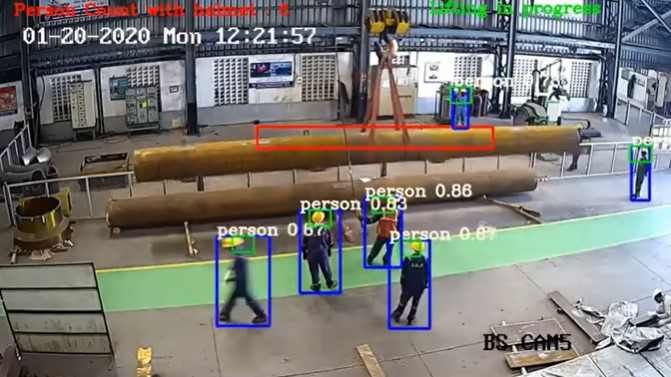
| PPE detection | Fixed site cameras | Is the worker wearing hard hat, hi-vis, gloves, mask, eye protection? | Brand-new PPE variants, low light, occlusion by tools |
| Zone intrusion / proximity | Fixed + forklift cameras | Is a person inside a machine zone or near a moving vehicle? | Calibration drift after camera knocks |
| Ergonomic risk scoring | Fixed cameras, pose estimation | Is the worker’s posture in a high-risk band over time? | Camera angle, loose clothing confusing keypoints |
| Slip / trip / fall detection | Fixed + body-worn cameras | Did a fall just happen, and where? | False positives from sitting, crouching, kneeling |
| Fatigue / distraction monitoring | Cab-mounted cameras | Are the operator’s eyes off the road or closing? | Sunglasses, head pose extremes, individual variation |
This is an observed pattern across our and adjacent practitioners’ deployments — not a benchmark. The point is that “computer vision for safety” decomposes cleanly into these five, and a serious procurement conversation runs through each row separately.
Why “does it reduce incidents?” is harder than it sounds
Published site-level deployments commonly report 30–60% reductions in near-miss frequency over 12–18 months (observed pattern across vendor case studies; not an independently audited benchmark). That range is real, but it is also the range that gets quoted when the deployment is the cause of the improvement. Two effects inflate it:
The first is the Hawthorne effect: workers behave more safely when they know they are being watched, regardless of whether the model is good. A camera with a light on it but no model behind it would still produce part of this lift.
The second is comparison-window selection. Many published numbers compare the worst recent quarter to the best post-deployment quarter. Seasonal variation in incident rates is real (winter footing, summer fatigue), and the honest measurement window is at least a full calendar year on each side.
The systems that hold up the hardest scrutiny share one structural property: they close the loop into supervisor workflows. A detection that produces a ticket in the safety officer’s queue with a short video clip attached, reviewed within shift, drives behaviour change. A detection that produces a row on a dashboard nobody opens drives nothing. This is the single most important variable, and it is not really a CV question — it is an operations integration question.
The regulatory frame is the binding constraint
In the EU, GDPR plus the EU AI Act treat worker monitoring as high-risk processing. Concretely, what that means before you deploy:
- Lawful basis: legitimate interest is the usual route for safety, but it is not automatic; you have to document it.
- DPIA: a Data Protection Impact Assessment is mandatory for this category. It is a real document, not a checkbox.
- Worker consultation: works council or equivalent representation must be consulted. In Germany, France, and the Netherlands this is statutory, not advisory.
- Proportionality: the system has to be the least intrusive effective means. Identifying individual workers when anonymous PPE detection would suffice fails this test.
In the US, the regulatory map is patchier but the binding pieces are state-level biometric laws: Illinois BIPA, Texas CUBI, Washington’s biometric privacy law, California’s CCPA / CPRA. These constrain biometric processing — face, fingerprint, retina — more than they constrain anonymous pose or PPE classification. The practical safe pattern, which we recommend by default, is anonymous CV with no individual identification: detect “a person without a hard hat in zone B”, not “Worker #4471 without a hard hat in zone B”. You escalate to identified workflows only when there is an explicit policy, consent mechanism, and a use case (e.g. lone-worker safety check-in) that genuinely needs identity.
The teams that ship cleanly treat this regulatory layer as a design input from week one. The teams that retrofit it after a pilot tend to throw away most of the pilot.
Hardware: where the inference actually runs
Site safety decisions almost always run locally, not in the cloud. Three reasons, in roughly this order: latency (a fall-detection alert that arrives ninety seconds late is useless), connectivity (industrial sites have unreliable uplinks more often than not), and privacy (sending continuous worker video to a remote datacentre is a much harder regulatory conversation than processing it on-site).
The current production hardware split, as we see it deployed in 2026:
- Fixed cameras: standard industrial IP cameras feeding NVIDIA Jetson Orin nodes per camera cluster, or rack-mounted Tesla L4 / L40S inference nodes for larger sites with many streams. ONNX and TensorRT are the typical inference runtimes; PyTorch is the training side.
- Mobile and vehicle: ruggedised DVRs with built-in NPUs — Ambarella, Hailo-8 and Hailo-15, Qualcomm Vision Intelligence platforms. These are sealed appliances, not general compute.
- Helmets and wearables: Snapdragon-class SoCs or specialised low-power AI accelerators. Battery and thermals dominate the design here, not raw throughput.
Cloud is used for two things: model training (large GPU clusters, periodic retraining as PPE changes or new failure modes are identified) and aggregated analytics (incident rates across sites, dashboards for leadership). The actual safety decisions stay on-site.
Where facial recognition fits — and where it doesn’t
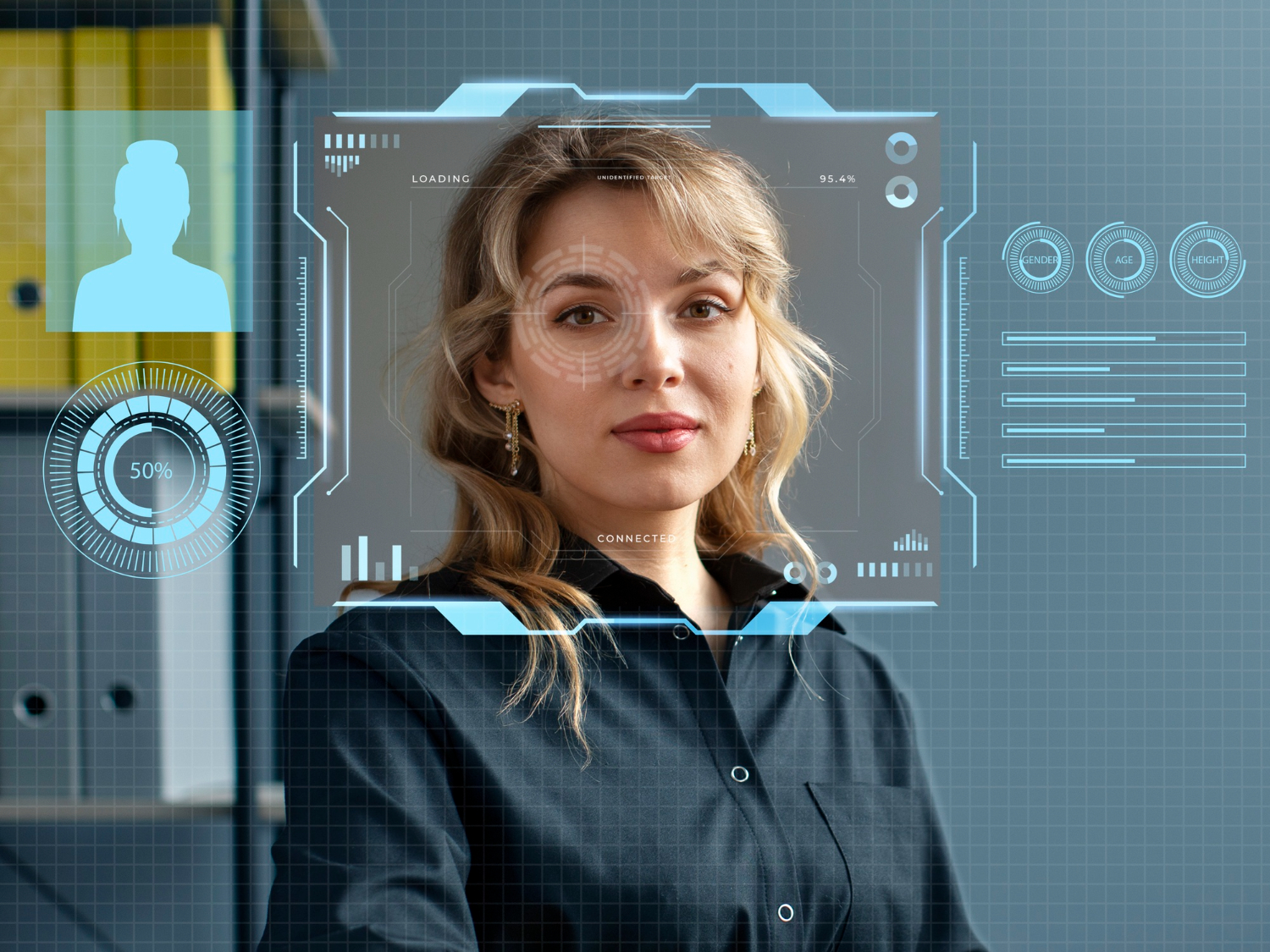
Procurement teams routinely conflate “computer vision in health and safety” with “facial recognition for access control,” treating separate technical stacks as interchangeable. They share some primitives (face detection in particular) but they are different products with different regulatory exposure. PPE detection and zone intrusion do not need to know who anyone is; they need to know that someone is there. Facial recognition specifically — face detection → alignment → embedding → identity match against a gallery — is a separate pipeline with its own legal tier under the EU AI Act.
For a deeper architectural walkthrough of that pipeline and where it breaks in production, see Facial Recognition in Computer Vision: How the Pipeline Actually Works. For the related camera-systems engineering thread, see our piece on face detection accuracy in real camera systems.
The cleanest deployments we work on keep these two product categories separate by design — separate models, separate data flows, separate DPIAs — and only bridge them when there is a specific business reason that survives the proportionality test.
Frequently asked questions
How does the facial recognition pipeline decompose — detection, alignment, embedding, matching?
Computer Vision Health Safety works like this. It runs in four stages: a detector locates faces in the frame; an alignment step normalises pose and scale to a canonical orientation; an embedding model maps each aligned face to a fixed-dimensional vector; a matcher compares that vector against a gallery of enrolled identities, returning the closest match above a threshold. Each stage has its own failure mode and its own benchmark, which is why “the system is 99% accurate” is almost always a meaningless number (vendor figures) unless you ask which stage.
Why is MTCNN typically preferred over Haar cascades in modern face detection, and where does that trade-off flip?
MTCNN handles pose, scale, and illumination variation far better than Haar cascades, which were designed for near-frontal faces in good lighting. The trade-off flips on very low-power edge hardware where Haar (or its modern lightweight replacements) still wins on latency and battery, and where the deployment can guarantee near-frontal capture.
Where does facial recognition sit in the broader CV pipeline (image recognition, pattern recognition, deep learning)?
Image recognition is the umbrella; pattern recognition is the older statistical framing; deep learning is the current dominant method. Facial recognition is a specific application that uses deep-learning embeddings on a sub-task of image recognition — finding and identifying a particular class of object (faces) — and inherits the strengths and limits of the embedding model it is built on.
What are the realistic accuracy and bias limits of production facial recognition in 2026 deployments?
False-match and false-non-match rates depend heavily on operating threshold, gallery size, image quality, and the demographic distribution of both the training data and the gallery. Independent testing (NIST FRVT, which is an externally validated benchmark) continues to show measurable accuracy gaps across demographic groups, and gallery scale degrades real-world accuracy faster than vendor demos suggest. Honest deployment requires measurement on your own data.
Which CV algorithms (eigenfaces, deep embeddings, transformers) are still relevant for face recognition, and which are obsolete?
Eigenfaces are of historical interest only. Deep convolutional embeddings (ArcFace, CosFace, FaceNet-lineage) remain the production workhorse. Transformer-based vision models are increasingly competitive on the embedding stage and dominant on related tasks; whether they have fully displaced CNNs for face embedding specifically depends on the deployment constraints, particularly latency budget on edge hardware.
How does facial recognition deployment differ across cloud, on-device, and edge inference settings?
Cloud allows the largest models and the biggest galleries but introduces latency, connectivity, and privacy exposure. On-device (phone, kiosk) suits small galleries and 1:1 verification. Edge appliances (Jetson, Hailo, Ambarella) sit between: medium galleries, low latency, local data residency. The right choice is driven less by accuracy than by gallery size, latency requirement, and where the regulatory line of “biometric data leaves the premises” sits.
Computer vision for health and safety: deployment realities
False-positive rates above 2% (as a rule of thumb) destroy trust faster than any accuracy gain can rebuild it. Everything else is detail.