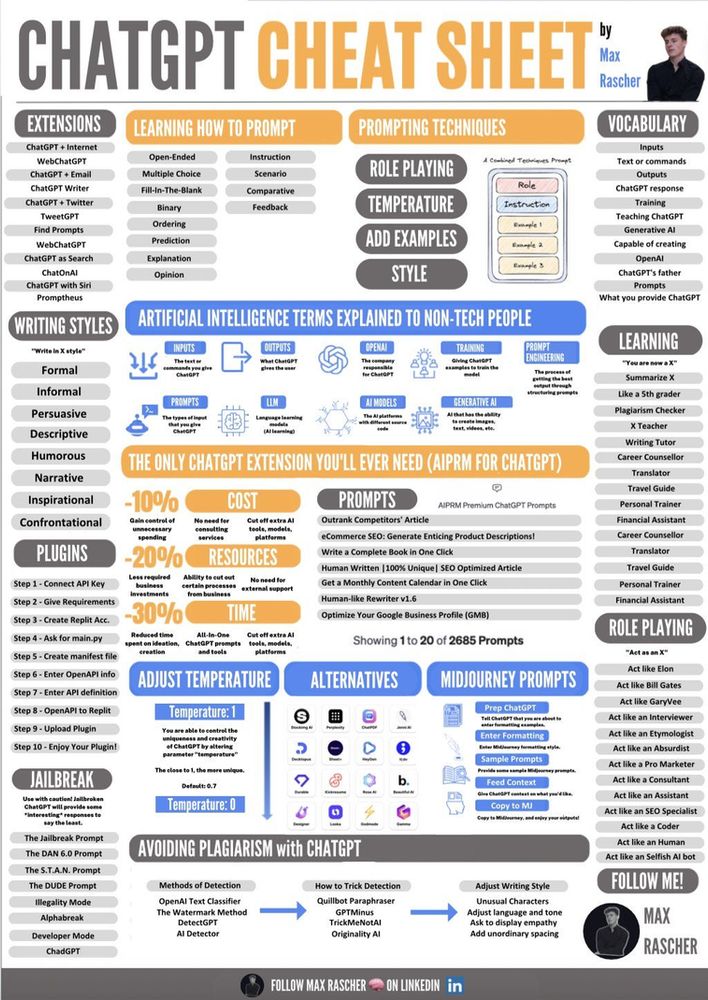
The Ultimate ChatGPT Cheat Sheet
Published prompt guides prioritize novelty over reproducibility, leaving practitioners without transferable patterns. They list novelty prompts — “act as a pirate”, “write a viral LinkedIn post” — that look productive on a screenshot and collapse the moment ChatGPT is wired into a real engineering workflow: code review, log triage, spec drafting, data wrangling, customer-support drafting. Engineering teams that adopt those patterns end up paying for prompt-quality debugging instead of capability.
This cheat sheet is the production-engineering version. It treats prompting as an interface design problem with stable patterns, named failure modes, and a 2026 model landscape that no longer rewards the chain-of-thought tricks that worked in 2023. If your team is deciding which workflows ChatGPT genuinely automates and which it only appears to automate, this is the working-medium companion to the broader GenAI feasibility framework. That framework sits inside our wider Generative & Agentic AI R&D practice, which scopes the automation question before any prompt gets written.
What ChatGPT actually is in 2026
ChatGPT is OpenAI’s chat product layered on top of a model family: GPT-5-class models for general work, GPT-4o-mini-class for cheap drafting, and the o-series reasoning models for analytical tasks that benefit from internal deliberation. Each turn runs through a transformer language model that conditions on the conversation history, any tools the session has access to (web search, code interpreter, file analysis, image generation, voice), the system’s Custom Instructions, and Memory entries the user has accepted.
The tier matters more than most cheat sheets admit. Free, Plus, Pro, Team, and Enterprise expose different model availability, quotas, and — critically — different data-handling guarantees. Pasting a production log into a Free-tier window has different implications than pasting it into an Enterprise workspace with no-train and retention controls. We treat tier choice as part of the prompt: it determines what the prompt is allowed to contain.
Why your prompt matters more than the model choice
Access constraints dominated early adoption; as API availability broadened, design and integration emerged as the primary challenges. In 2026 it usually isn’t. The default model is competent enough that the residual quality variance lives in the prompt: what context you provided, what format you specified, what you asked the model not to do, and whether you escalated to a reasoning model when the task warranted it.
A working prompt for engineering use does four things at once:
- States the role and audience explicitly (“You are reviewing a Python diff for a senior reviewer who will see only your comments”).
- Specifies the output format (“Output is a markdown list of concerns, grouped by file, with line numbers”).
- Supplies the source material directly rather than asking the model to recall it (“Here is the diff:” followed by the diff itself).
- Names the failure modes to suppress (“Do not suggest stylistic changes. Do not invent function signatures that aren’t in the diff”).
That is the anatomy. Everything else in this cheat sheet is a variation on it.
Prompt patterns that hold up in 2026
Role, audience, format at the top
Specifying role, target audience, and output schema at the prompt’s outset consistently outperforms all other single interventions. ChatGPT is good at simulating a perspective when told whose perspective to take. “Act as a staff engineer reviewing this for a junior developer” produces measurably different output than “Review this code”, and the cost is one extra sentence.
Few-shot for stable structure
When the task has a specific schema or house style — release notes, postmortem sections, structured log summaries — give the model one or two worked examples in the prompt. Few-shot prompting remains the most reliable way to lock output structure in 2026. It is also the easiest pattern to version: the examples are the contract.
Decompose, don’t pile up
A prompt that asks the model to “explain AI in healthcare, compare it with traditional methods, provide examples, and write it in a conversational tone” routinely returns a thin pass over each. The same task split into three named steps — explain, compare, exemplify — returns substantially better output per step. This is the most common engineering-context failure we see: prompts that bundle four jobs and produce four half-done answers.
Reasoning models for the hard parts
The o-series reasoning models changed the cost calculus. For genuinely hard analytical work — proving an invariant, debugging a non-local race, deciding between two architectural options under constraints — they outperform the cheaper models by enough that the latency cost is worth it. For drafting, rewriting, and summarisation, the cheaper models remain the right call. A practical pattern: cheap model for first draft and reformatting, reasoning model for the one or two steps that actually need it.
User-spelt chain-of-thought (“think step by step”) is less necessary on reasoning-tuned models than it was in 2023–2024. The model already does it. Spelling it out can hurt by anchoring the model on a flawed first step.
Iterate on the worst part, not the whole
When a draft is 80% there (as a rule of thumb), the temptation is to restart with a better prompt. The better move is to ask the model to revise the specific weak section: “The second paragraph is too abstract. Rewrite it with one concrete example from a code-review context.” This preserves the parts that worked and converges faster.
Cheat sheet: when to use what
| Task | Model class | Pattern | Tier notes |
|---|---|---|---|
| Code review of a diff | Reasoning (o-series) | Role + paste the diff + suppress style notes | Team/Enterprise if diff is proprietary |
| Drafting release notes | General (GPT-5-class) | Few-shot with last quarter’s notes | Plus is fine |
| Log triage / pattern spotting | Reasoning | Paste log + ask for clusters and hypotheses | Team/Enterprise for production logs |
| Rewriting documentation | Cheap (4o-mini-class) | Specify tone + paste source | Plus is fine |
| Spec drafting from a meeting transcript | General | Decompose: extract decisions → extract open questions → draft spec | Team/Enterprise if transcript is internal |
| Customer support reply drafting | General | Role + tone + paste the customer message | Enterprise if PII involved |
| Long, multi-document reasoning | Often not ChatGPT | Consider Claude (longer context) or NotebookLM (source-grounded) | — |
Verification workflows—standard in engineering practice—are routinely omitted from cheat-sheet taxonomies. ChatGPT is not always the right tool. For stable reasoning across many long source documents, purpose-built tools with longer context windows or explicit source-grounding outperform it. Knowing where ChatGPT stops being the answer is part of using it well.
What not to ask ChatGPT in a production context
Models continue to fabricate plausible-sounding references, legal precedents, and technical specifications when retrieval is bypassed. The hallucination rate has dropped; the failure mode has not. Three categories stay off the prompt unless you are willing to verify every output:
- Regulated advice. Legal, medical, accounting, and engineering sign-off where liability attaches. ChatGPT is a brainstorming surface, not a licensed professional.
- Facts the model can’t verify. Anything where the answer needs to be true rather than plausible — version-specific API behaviour, current pricing, current org structures, citations to specific papers — should come from retrieved sources, not from model recall.
- Sensitive data on the wrong tier. Production logs, customer data, proprietary code, and personnel information belong in a Team or Enterprise workspace with documented data-handling, not in a Free or Plus session.
A useful test: if the cost of the model being confidently wrong is high, the prompt needs grounding (attached files, web search, retrieved context) or it needs to not be a ChatGPT prompt.
How to turn a cheat sheet into a prompt library
Generic prompt libraries fracture under the weight of team-specific requirements and unstated context. At that point the patterns need to become a versioned, governed prompt library — the engineering version of what marketing teams call a content template store.
The transition has three moves. First, extract the stable prompts into named, versioned files in a repo (the prompt is code; treat it like code). Second, add evaluation: for each prompt, a small set of inputs with expected output properties (length band, required sections, banned phrases) that runs on every change. Third, gate model upgrades through that evaluation. A new model release shouldn’t silently change how your release notes read; the eval catches it before the team does.
We see teams skip the evaluation step and regret it within a quarter. The prompts drift, the model drifts, and nobody knows which change caused the regression. The cheat sheet is the seed; the library is the system.
Where ChatGPT measurably helps — and where it doesn’t
Three use cases dominate successful deployments: generating revision-ready drafts, converting between data representations, and externalizing reasoning during problem decomposition. It delivers less reliably for novel synthesis across long sources, for fact-bound technical queries without grounding, and for tasks where the cost of a subtle error is high.
This maps onto the broader question of where AI chatbots actually boost productivity: the productivity gain is real but uneven, and it concentrates in tasks where speed beats precision and a human reviewer is in the loop. Cheat-sheet thinking that ignores this asymmetry produces deployments that look good in a pilot and disappoint in production.
FAQ
How does ChatGPT actually work in 2026?
ChatGPT is OpenAI’s chat product on top of the GPT-5-class family (with GPT-4o-mini-class fallbacks and o-series reasoning models for harder tasks). Each turn is processed by a transformer language model that conditions on the conversation history, optional tools (web search, code interpreter, file analysis, image generation, voice), and any custom instructions and memory entries. Free, Plus, Pro, Team, and Enterprise tiers expose different model tiers, quotas, and data-handling guarantees.
What prompting techniques actually work for ChatGPT in 2026?
Four reliable patterns: (1) state the role, audience, and output format explicitly at the top; (2) provide concrete examples (few-shot) when the task has a specific style or schema; (3) decompose multi-step tasks into named steps rather than one long instruction; (4) use the reasoning models (o-series) for genuinely hard analytical work and keep the cheaper models for drafting and rewriting. Chain-of-thought spelt out by the user is less necessary on reasoning-tuned models than it was in 2023–2024.
How do you write effective ChatGPT prompts for work tasks?
Anchor the prompt on the outcome, not the process: state who the output is for, the format you want, the length, and the must-have content. Give the model the source material it needs (paste in the document, attach the file, link via web search) rather than relying on its training data for facts. Iterate on the worst part of each draft rather than restarting the whole prompt. Use Custom Instructions and Memory for stable context that should apply across sessions.
What are the limits of ChatGPT and what should you not use it for?
It still hallucinates plausible-sounding citations and facts when not grounded in retrieved or attached sources. It is not a substitute for a lawyer, doctor, accountant, or engineer where regulatory liability matters. Enterprise data should go through the Team or Enterprise tier (with documented data-handling) rather than the free or Plus tier. And it remains weak at long, stable, multi-document reasoning compared with purpose-built tools (Claude with longer context, NotebookLM for source-grounded synthesis).
Why most prompt libraries fail in production
Static templates fail when task boundaries shift—effective prompting requires iteration infrastructure, not one-off recipes. Everything else is detail.
The cheat sheet is the entry point. The harder question is which of your engineering workflows actually survive contact with prompts like these in production — and which ones only look like they do.
Image credits: Freepik, FrimuFilms